
The portal, the Fleet app and the server, part by part.
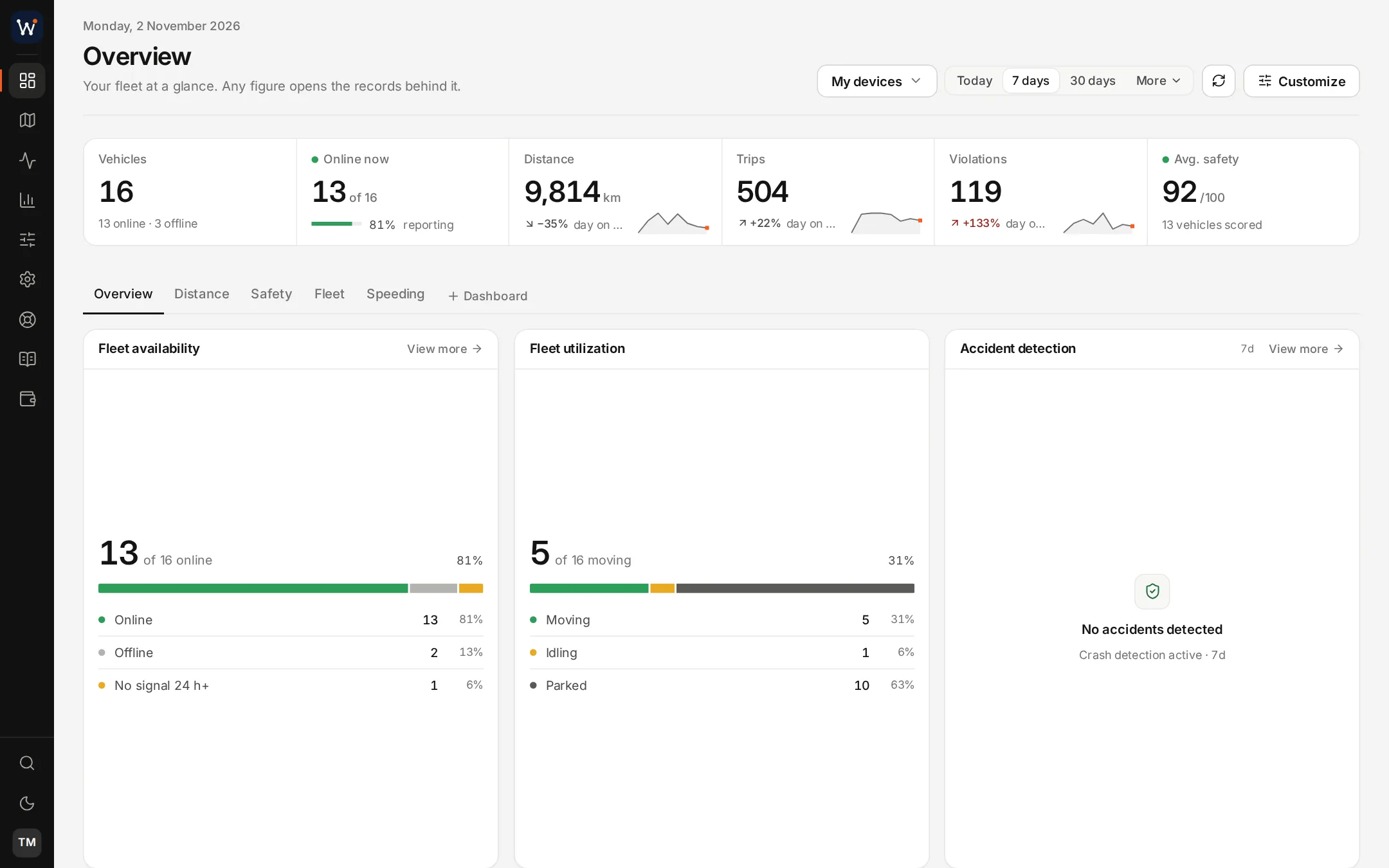
The portal's menus.
The portal sorts its pages into menus. These are the main pages in each, as a standard server shows them to an administrator. Clients see the parts their rights allow.
| Menu | Main pages |
|---|---|
| Overview | Dashboards for utilisation, availability, alerts and speeding |
| Operations | Live map, Dispatch |
| Telemetry | CAN bus data, Cameras, Fuel manager, Tachograph, Beacons, Sensors |
| Analytics | History, Reports, Trip logbook, Event log |
| Management | Assets, Devices, Users, Driver manager, Clients, Geofences, Alert rules, Maintenance, Audit log, WhatsApp builder, Sharing, Settings |
| Support | Tickets, New ticket, Manage |
| Billing | Products, Invoices, Auto-billing, Statements, Quotes, Orders, Payments |
| Documentation | User manual, API documentation, Tracker ports, Device setup |
Who signs in, and with what rights.
Your team
Administrators and managers add devices, users and client accounts, write rules and send invoices. A manager can be held to a device limit you choose.
Your clients
A client account holds that client's vehicles and users. Its users sign in at your address and see their own fleet and nobody else's.
Drivers
Drivers are records rather than logins. They are recognised in the vehicle, and for dispatch they work from a link sent to their phone.
What is not counted
There is no charge per user, client account or driver. Only trackers and cameras count towards a plan's limit.
The Fleet app.
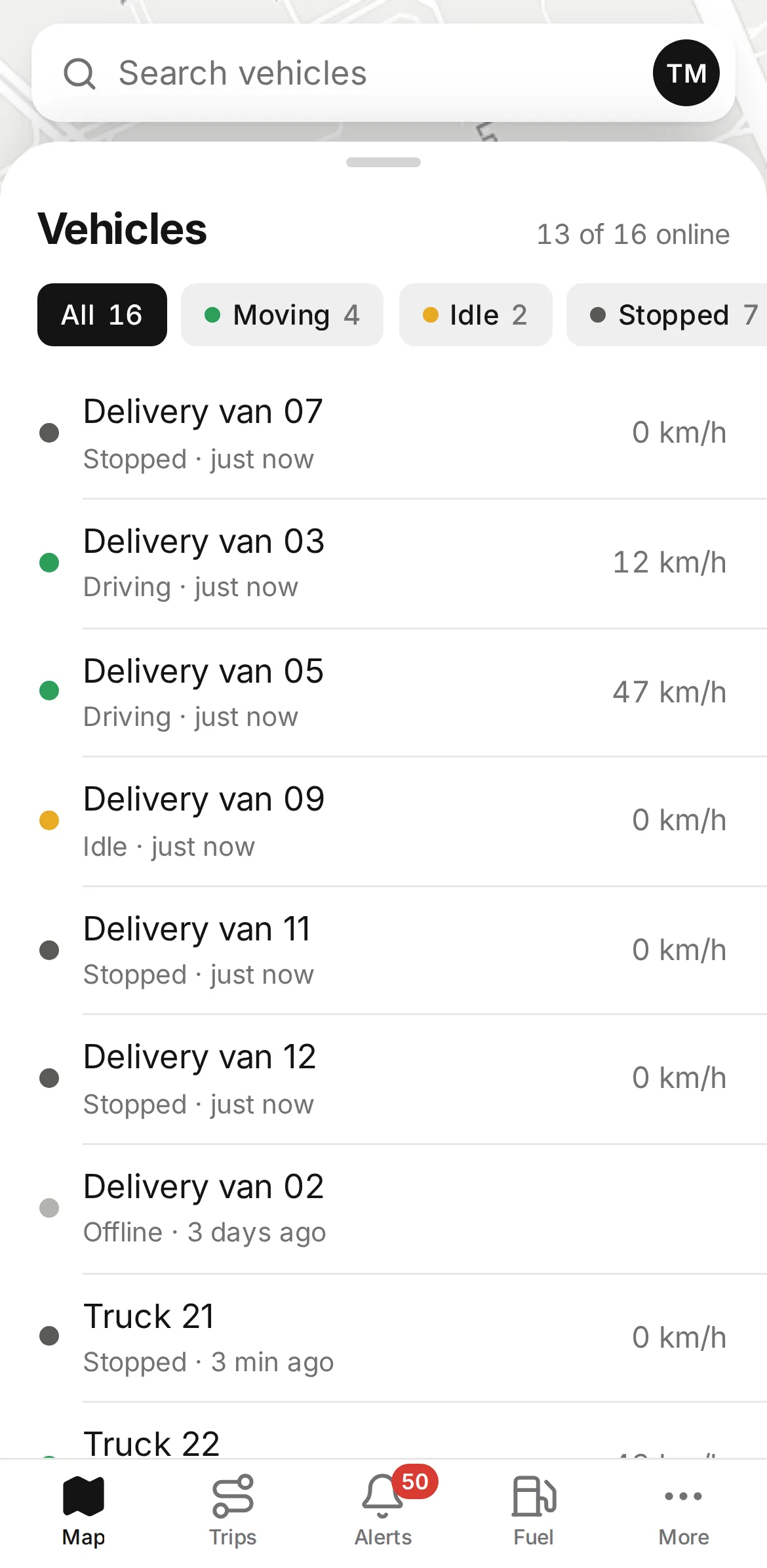
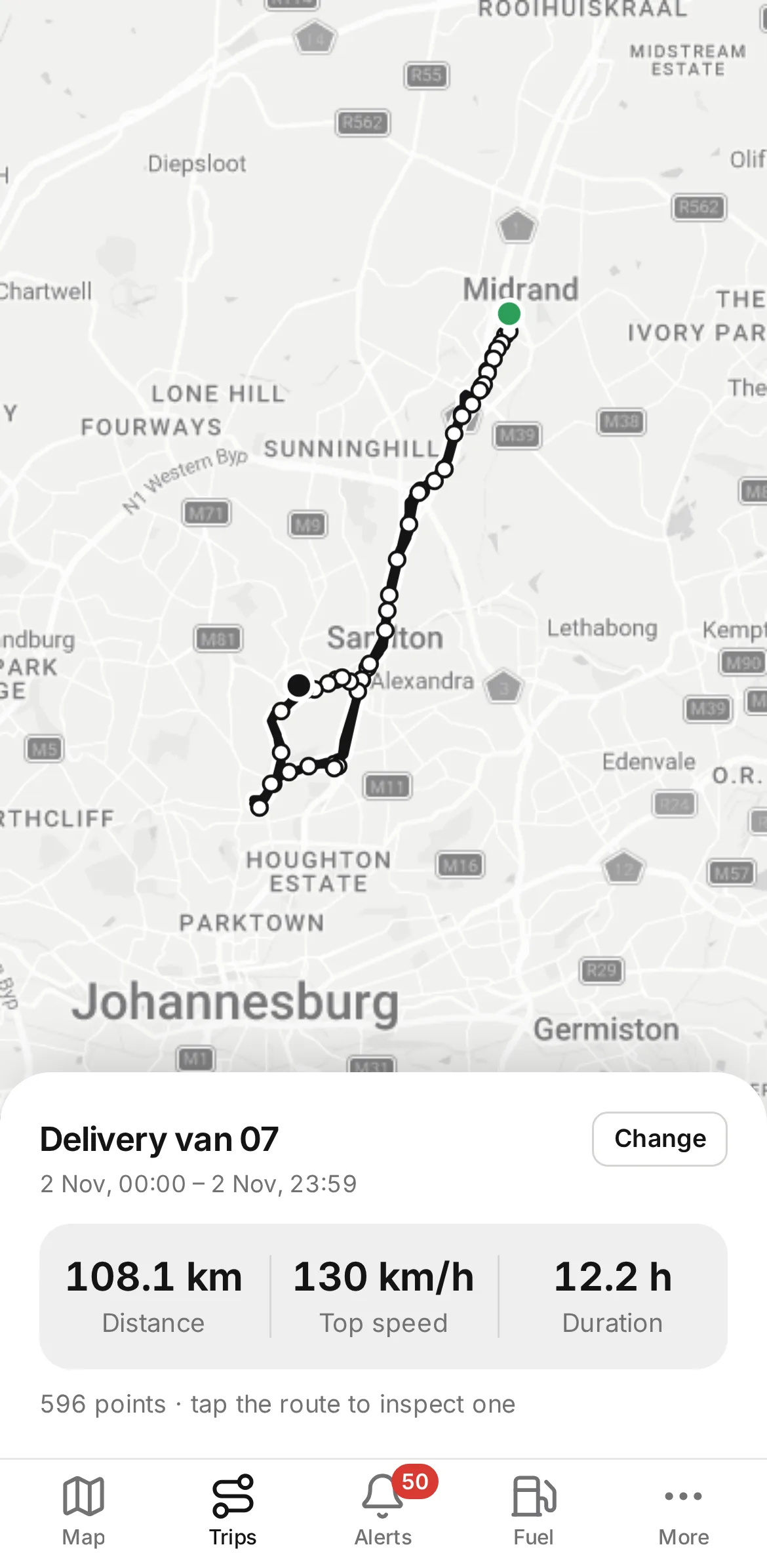
The Fleet app is a web app for phones. A client opens your app address, signs in with their portal account and pins the app to the phone's home screen. After that it starts like an installed app with the name and icon you chose. It is optional and costs $50 once for the server, however many clients use it.
- Vehicles listed as driving, idling or stopped
- A day's route with distance, top speed and time
- Dashcam photos and clips for each vehicle
- Tank levels for vehicles with fuel probes
The server.
Each plan gets a dedicated machine. Nothing on it is shared with another operator's platform.
Software
The tracking server on Node.js, a PostgreSQL database, nginx in front, ffmpeg for camera video, and listeners for 269 tracker protocols.
Addresses and ports
Your portal address with a Let's Encrypt certificate, and a set of tracker ports that only your devices report to.
Upkeep
Updates, certificate renewals and backups are done by us and covered by the plan price.
Capacity
The server is set up for your plan's device count. A larger plan raises the limit on the same server, with your data where it was.
Documentation in the portal
A user manual, a searchable API reference, a list of tracker ports by brand and notes on device setup are part of the portal, so your staff and your clients' developers can look things up without waiting for you.
Time to go live
When the first payment clears, the server is normally ready within a day. We email the sign-in details, and you add your devices and invite the first client.
Questions about the three parts
Do my clients and my staff share one portal?
Yes, with different rights. Your staff manage devices, users, rules and billing. A client's users see only the vehicles that belong to their account.
Is the Fleet app required?
No. The portal works in a phone's browser. The app adds a home-screen icon with your name and screens made for a small display, for $50 once.
What software runs on the server?
The tracking server itself, a PostgreSQL database, nginx in front with your certificates, the listeners for the tracker protocols and ffmpeg for video. We install and update all of it.
Read next
Put it on your own server and try it.
Order online and your server is normally live the next day, with your domain and logo in place and the tracker ports open.