
Features, as they work in the portal today.
Live map, history and reports
Where each vehicle is, and where it has been.
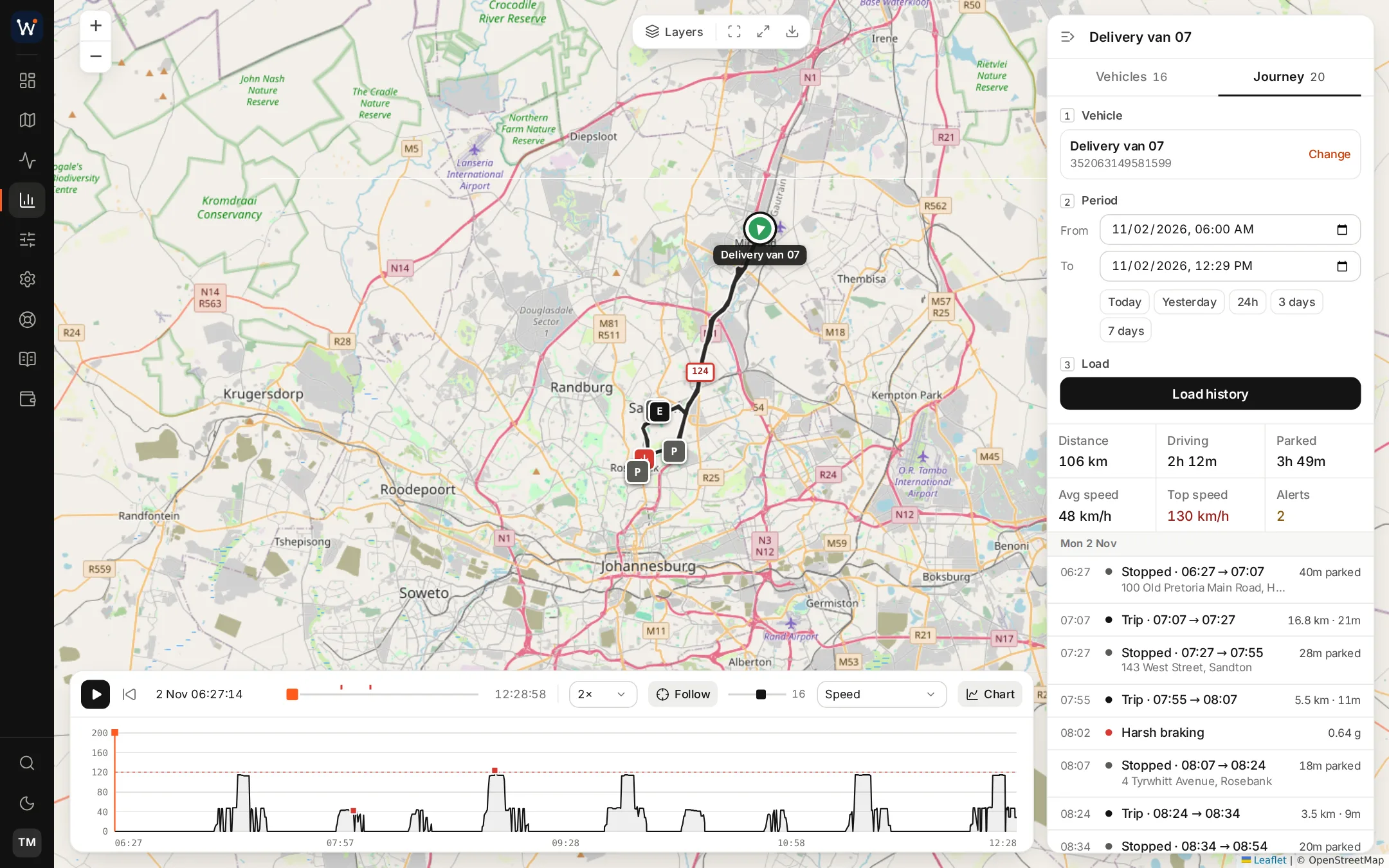
The live map groups nearby vehicles into clusters when zoomed out, can show Street View and your geofences, and opens a card for a chosen vehicle with its speed, address and engine readings. You decide how long a vehicle must stand still to count as stopped, and how long it may stay silent before it shows as offline.
History draws a day's trips on the map with the stops marked and a speed chart below. Reports come in 29 types, from fleet summary, trips and idle time to speeding episodes, geofence dwell, fuel, CAN data, fault codes and camera alarms. Reports can be saved in PDF, Excel or CSV format, and any of them can be mailed on a schedule.
Alert rules and geofences
Rules that watch the data for you.
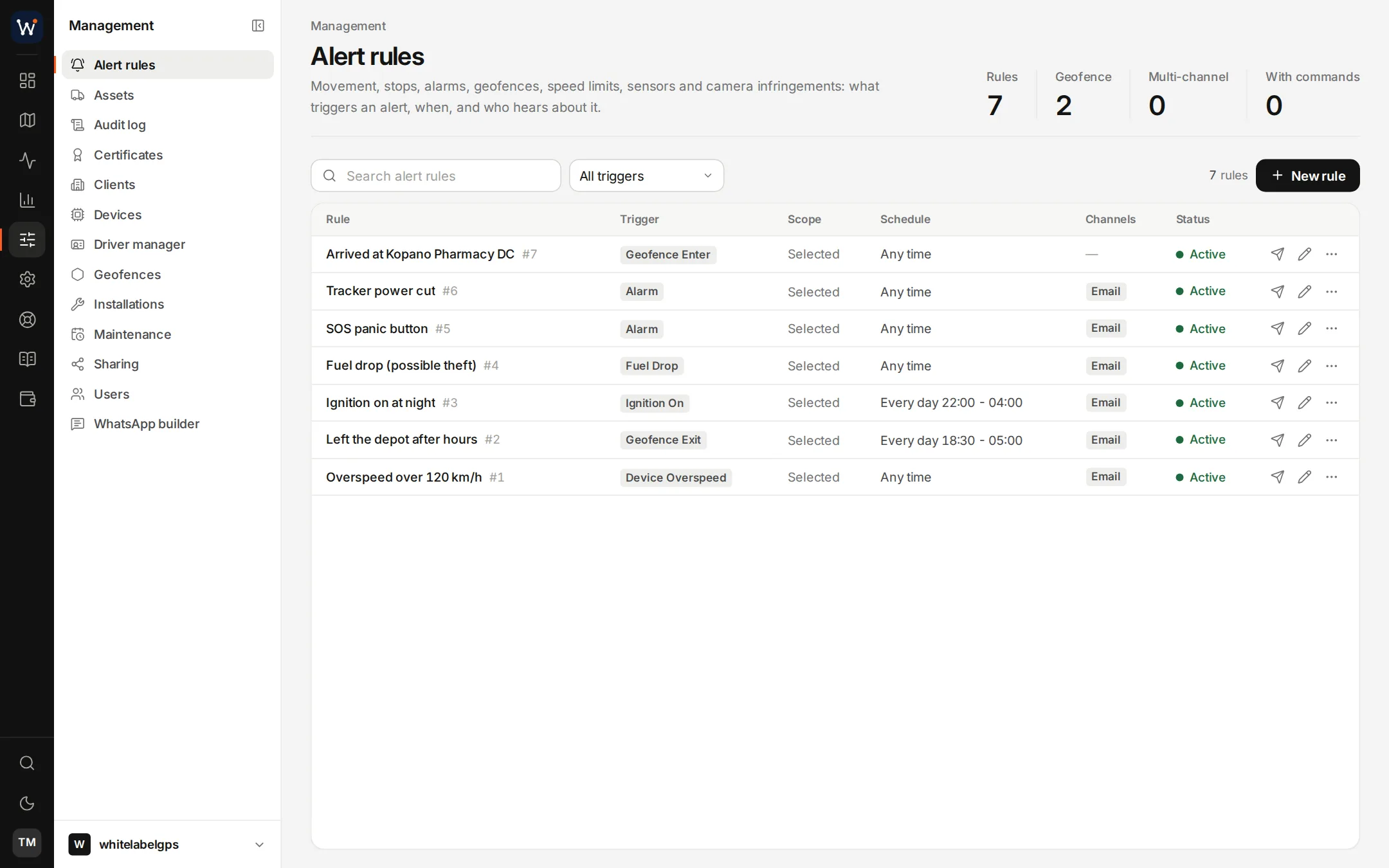
A rule names an event, the vehicles it covers and where the alert goes: the portal, email, push to a browser or phone, Telegram, WhatsApp or a webhook. Calendars restrict a rule to working hours or weekends, and a rule can also issue a command to the unit, held back by a cooldown so it does not fire twice in a row.
Geofences are drawn as circles, rectangles or polygons, or imported. Entering and leaving raise events, and a dwell report shows how long vehicles stayed inside. Speed rules can use your own limit, the road's posted limit or the position of known speed cameras.
- SOS, tamper and power-cut alarms
- Harsh braking, acceleration and cornering
- Fuel drops and refuels
- Temperature and CAN thresholds
- Units going offline and services falling due
Drivers and behaviour
Who was driving, and how well.
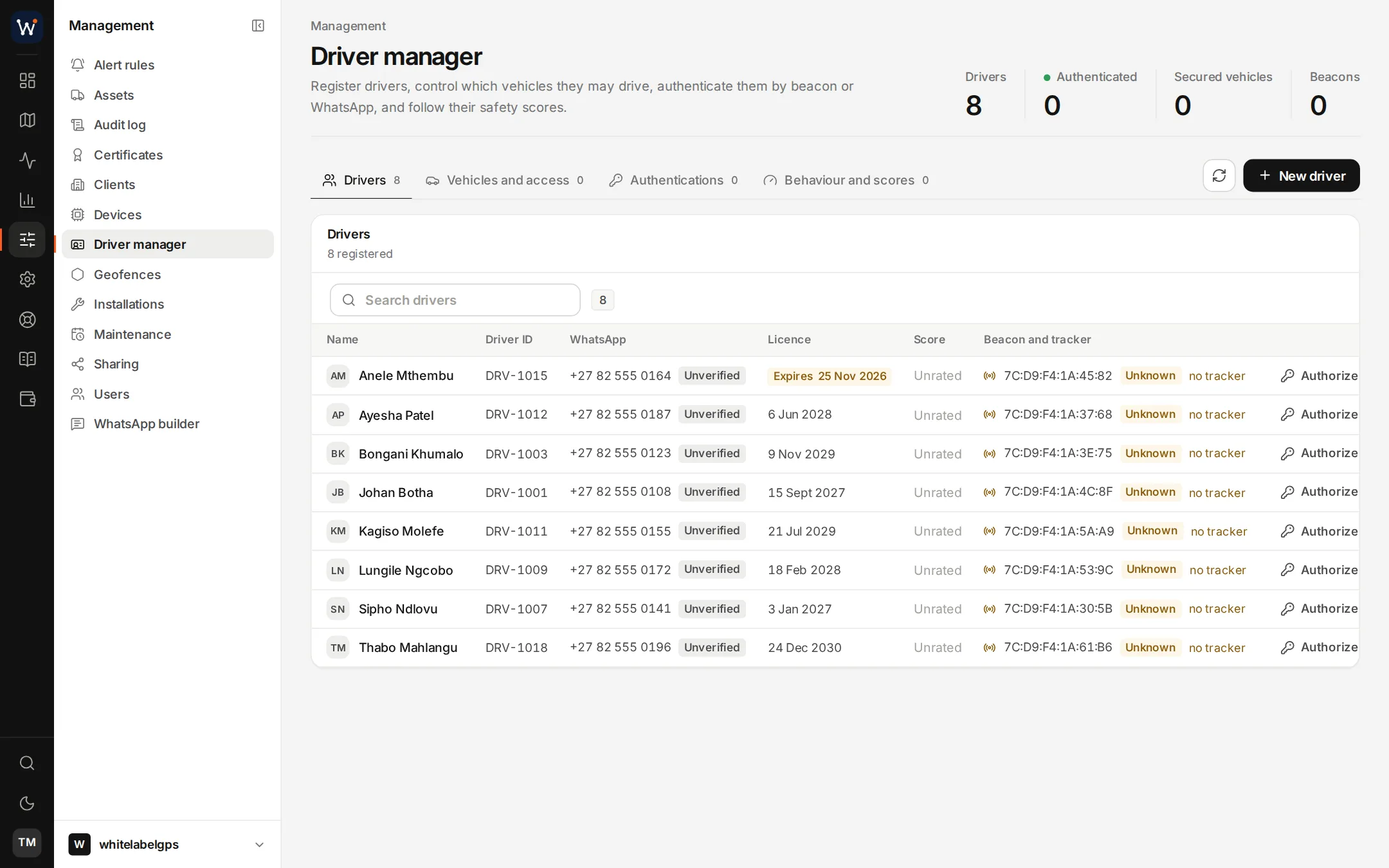
The driver manager keeps each driver's ID, licence, WhatsApp number and Bluetooth tag. A driver is recognised by the tag in the cab or by confirming over WhatsApp, and a vehicle can carry a list of the drivers allowed to use it. With the list enforced, movement without an allowed driver raises an alert, and a unit wired to a relay can keep the vehicle immobilised.
Driving is scored from 0 to 100. Scoring templates weigh harsh braking, acceleration, cornering and speed differently for a city car, a loaded truck or a bus. The tachograph module stores card and unit files and checks driving hours, and the trip logbook separates business from private trips.
Fuel, CAN and sensor data
Readings from the engine, the tank and the load.
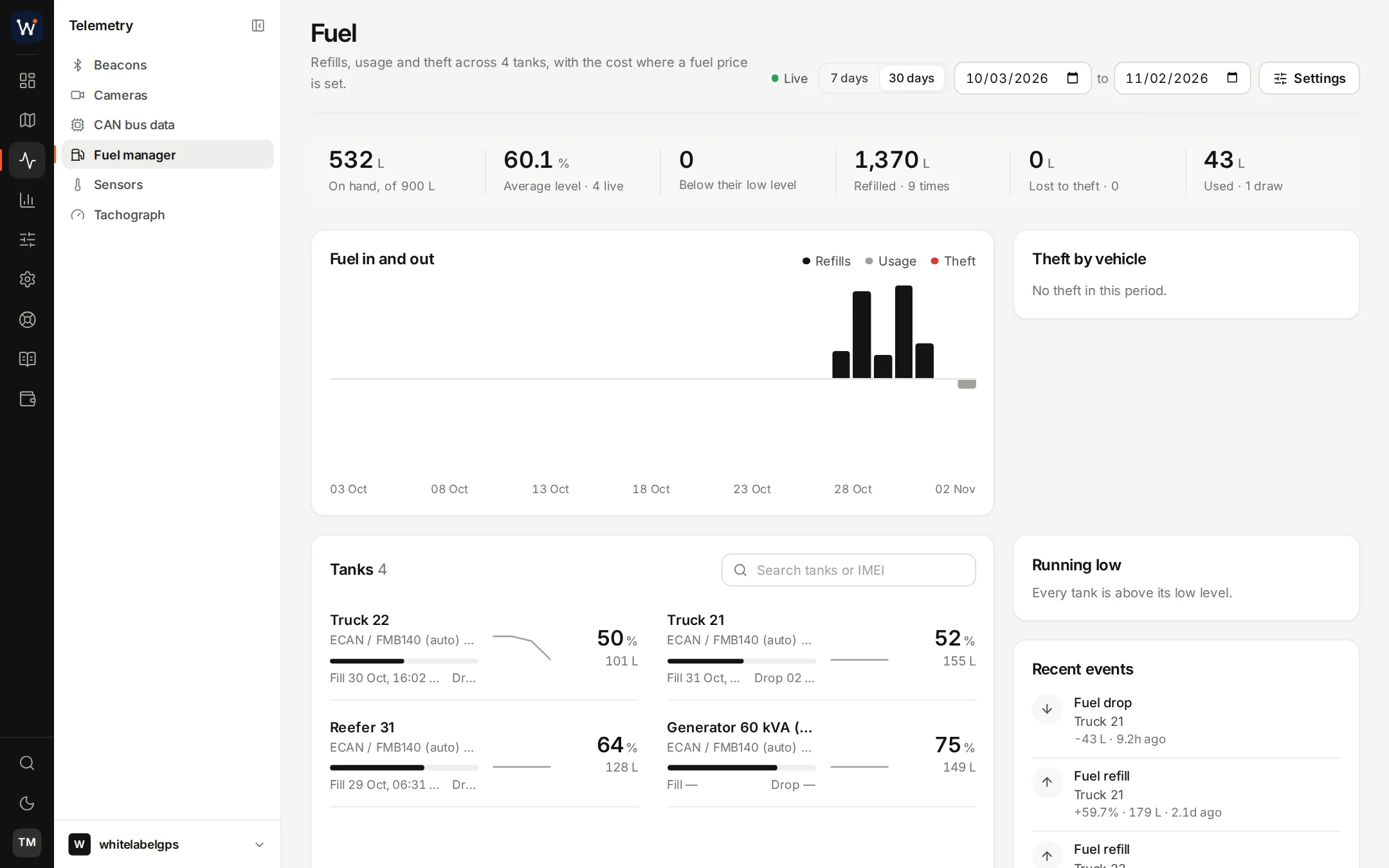
Fuel probes report tank levels in litres. The fuel manager charts fills and drops over time and raises events for sudden losses. Units that read the CAN bus or the OBD port pass on engine data, the odometer and fault codes, and a threshold on any of those values can start a rule.
Bluetooth tags add temperature, humidity and movement, which matters for chilled loads. For newer cars, manufacturer data through High Mobility supplies odometer, fuel and service figures by VIN, without fitting anything.
Dashcams
Camera footage beside the tracking data.
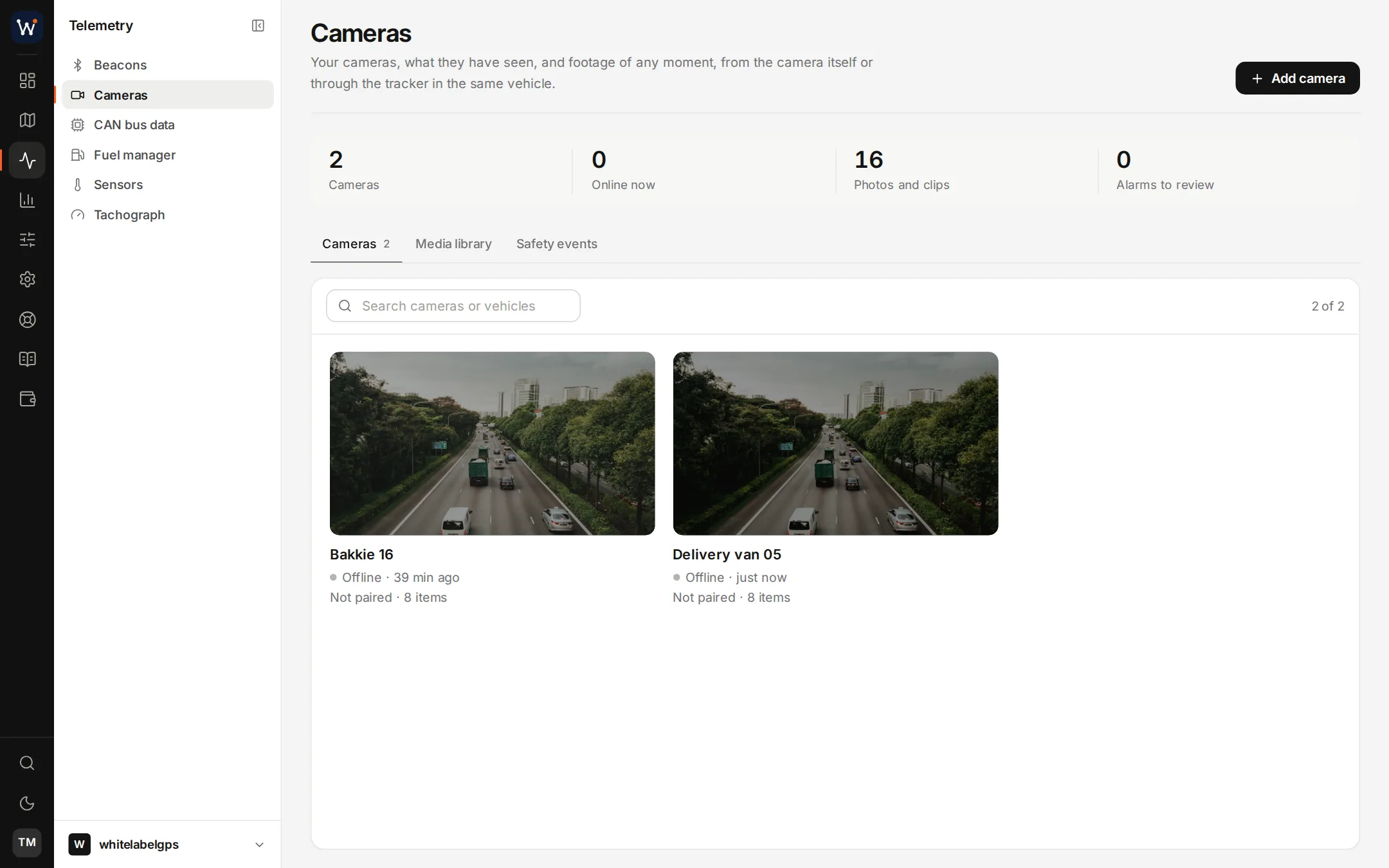
Dashcams that follow the JT/T 808 and JT/T 1078 standards, and Teltonika DualCam units, report to your server like trackers do. Alarm events bring their clips with them, photos and clips can be requested for a chosen moment, and cameras that stream can be watched live.
Footage plays and downloads with your logo in the corner. The camera's original file is kept untouched next to the branded copy, so it can still serve as evidence.
- Road and cabin views
- Clips attached to harsh driving and SOS alarms
- Footage requests for a chosen time
- Photos and clips sent to WhatsApp on request
Dispatch and proof of delivery
Jobs, routes and a link for the driver.
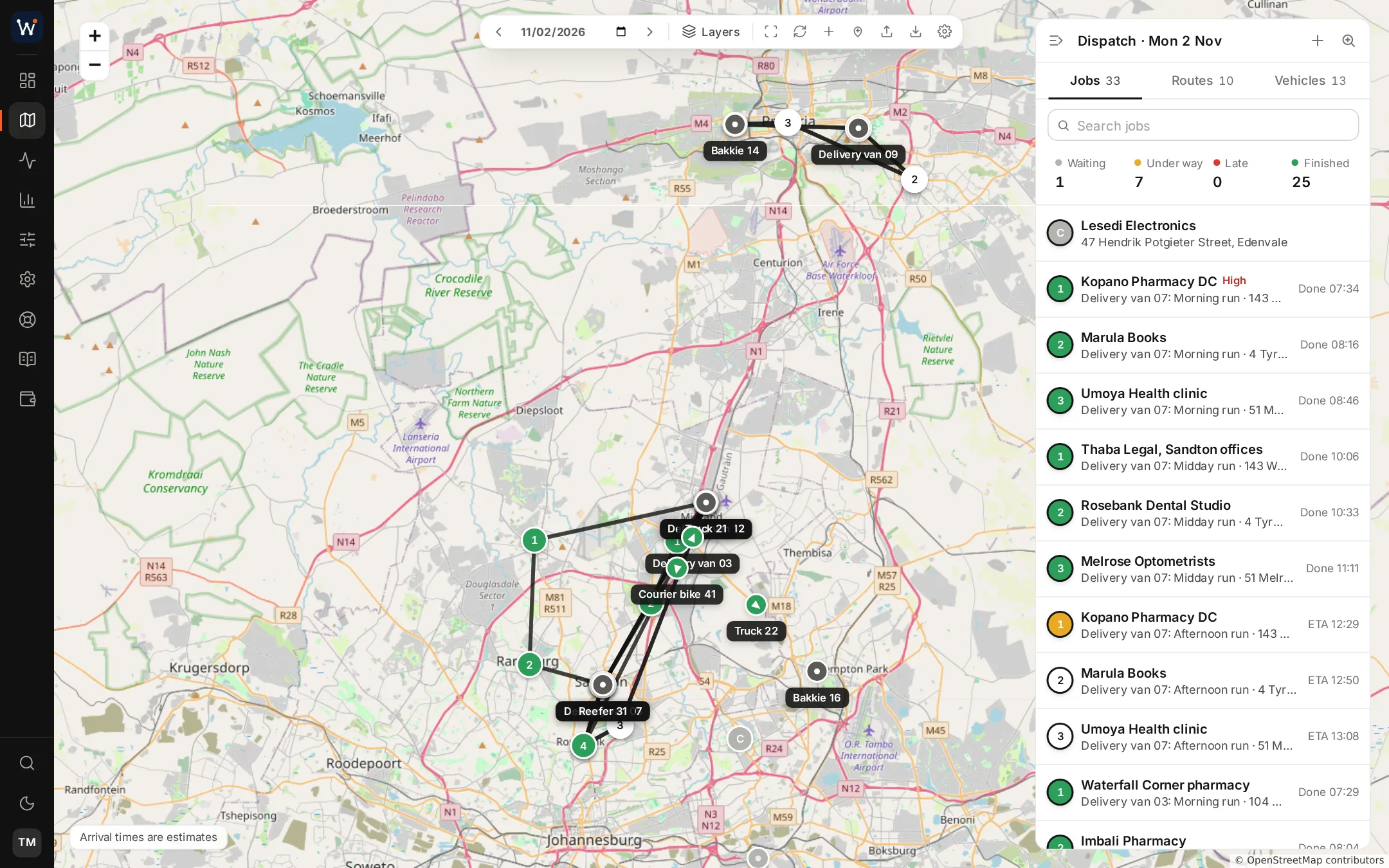
A job is one stop: a delivery, a collection or a service visit, with a time window when it needs one. A route is a vehicle's list of jobs for the day. Drivers need neither an account nor an app; they work from a link sent to their phone.
GPS does the bookkeeping. The route starts when the vehicle leaves, a job is marked as arrived when the vehicle stops within 150 metres of the address, and arrival times are recalculated from the live position. At the door the driver records a signature, photos and the recipient's name, and the customer can follow the vehicle on a branded tracking page.
- Travel times from a built-in estimate, your own OSRM server or Google
- Job and route events sent to webhooks
- Emails to the customer under your name
Assets and maintenance
Equipment, documents and service intervals.
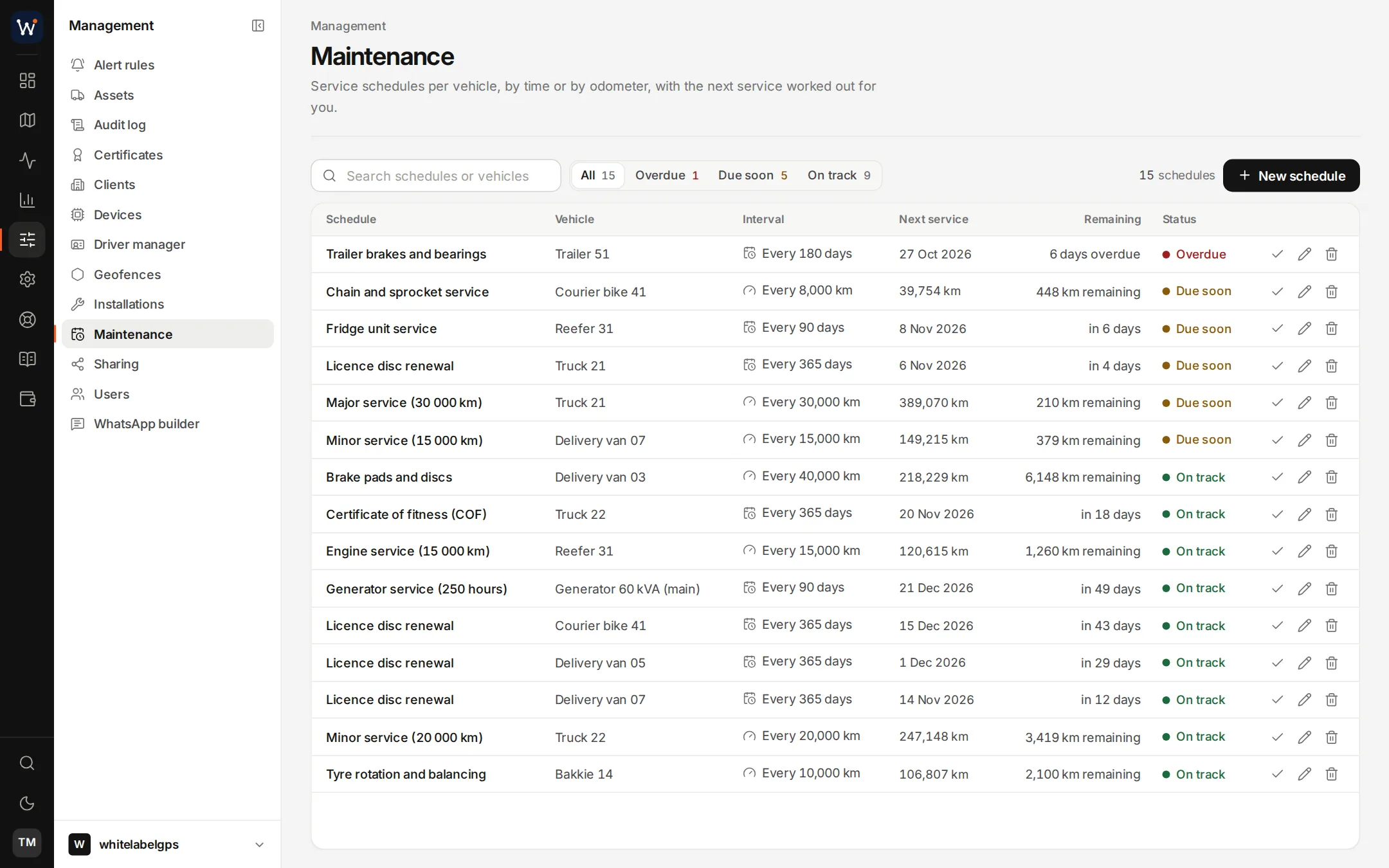
The assets module keeps a record for each vehicle or piece of equipment: which tracker is on it, its documents and when they expire. An asset can carry a main unit and a backup. If the main unit goes quiet or loses power, the backup takes over at a faster reporting rate, and the switch only counts once its reports actually arrive.
Maintenance schedules count kilometres against the tracker's odometer or run by date. Overdue work is flagged, and marking a service as done moves the next due point forward.
Sharing links and WhatsApp
Positions shared by link, and a fleet in a chat.
A sharing link shows one vehicle's live position to someone without an account, until the expiry time you set. Active links are listed and can be revoked.
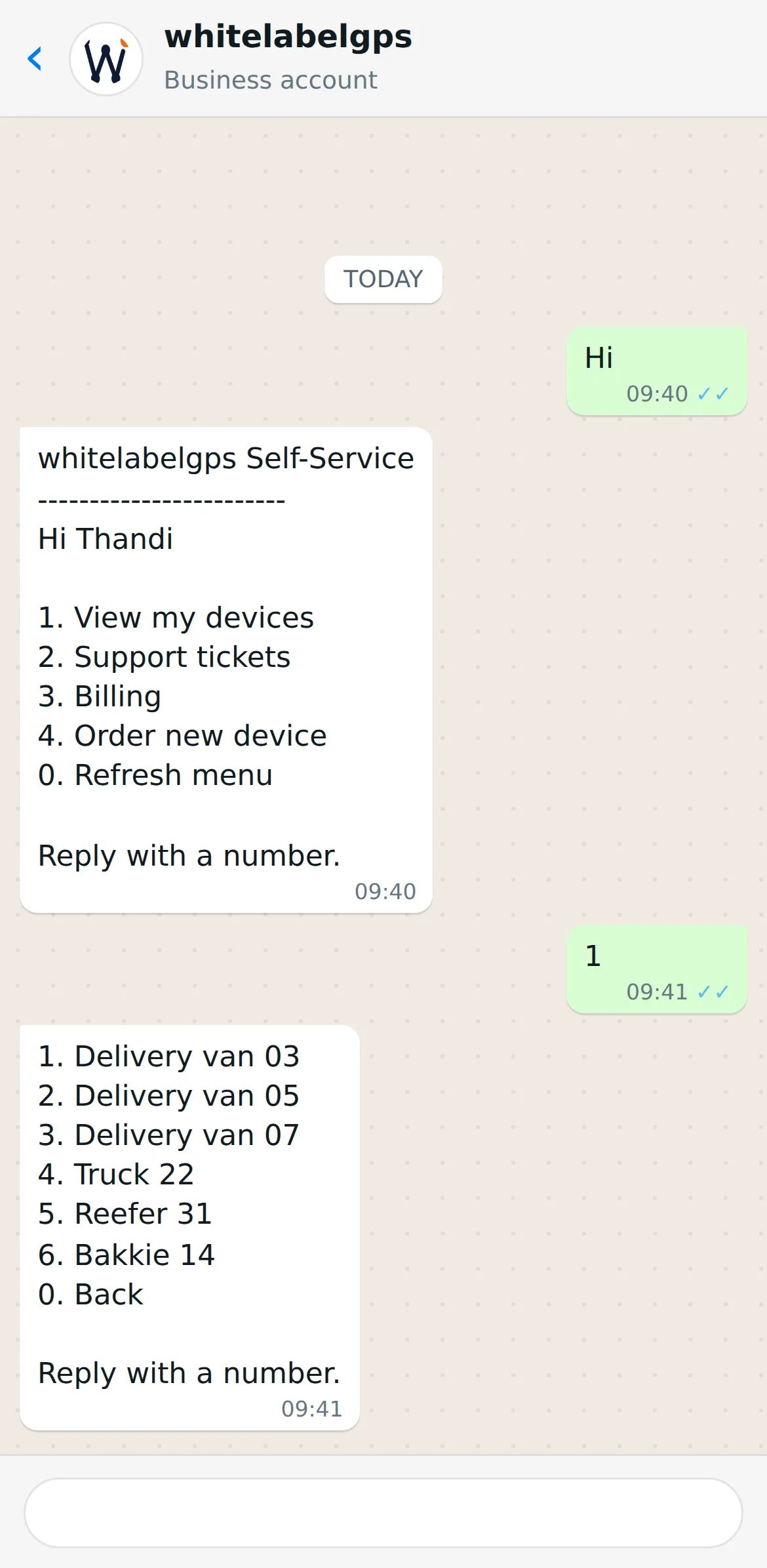
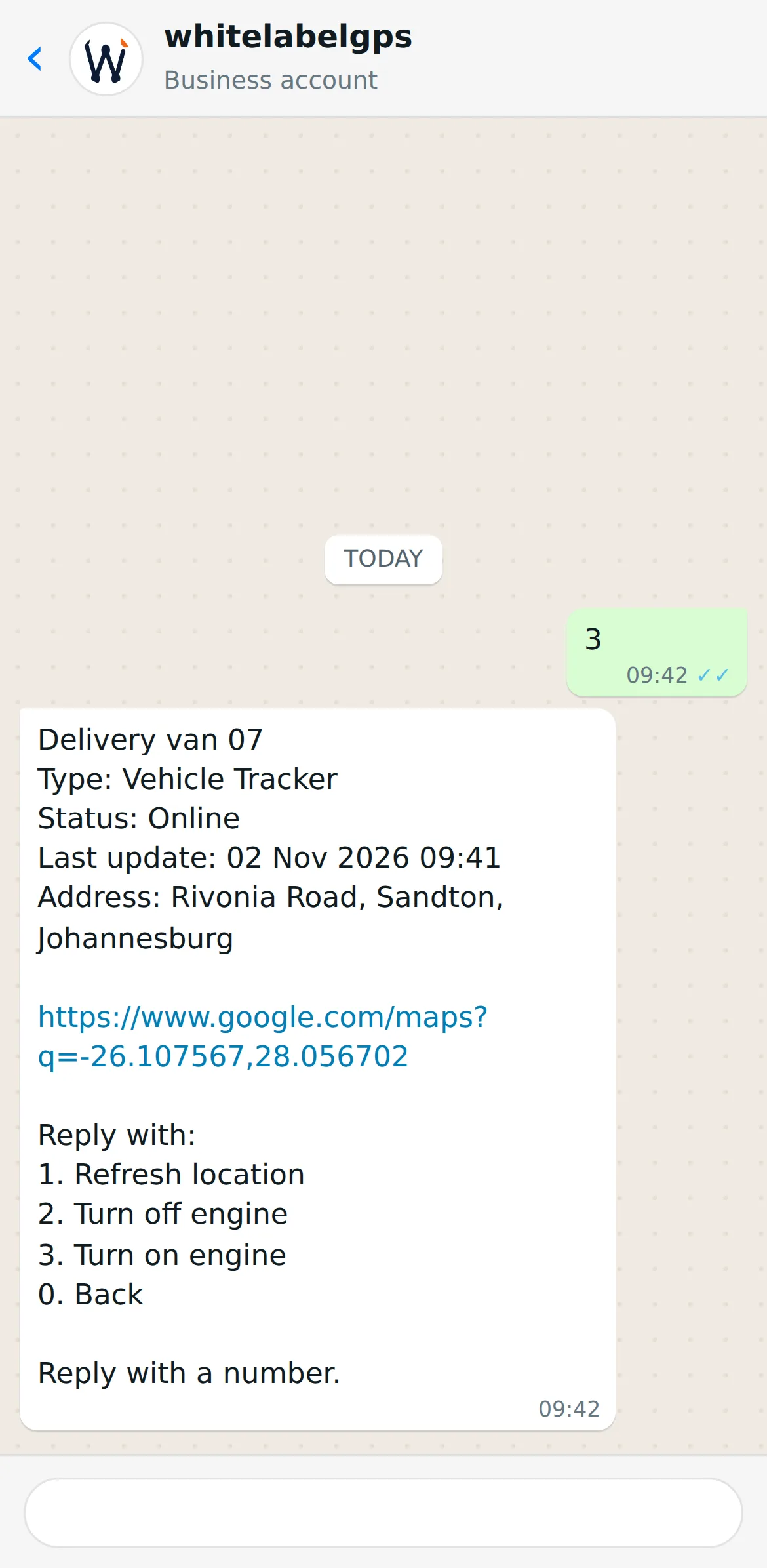
On WhatsApp, a client who has linked their number gets a menu built in the portal's WhatsApp builder: where their vehicles are, their support tickets, billing, ordering a new device or a reply you write. Alerts can go to WhatsApp as well, and a dashcam photo or clip asked for in the chat is sent back once the camera has delivered it.
Client billing and the support desk
Invoicing your clients, and answering them.
The billing module holds your products and prices, raises quotes, orders and invoices, and auto-billing raises each client's invoice once a month from the number of devices on their account. Statements show what is owed, invoices carry a pay link and a PDF, and payments go through PayFast, Stripe or PayPal on your own gateway account.
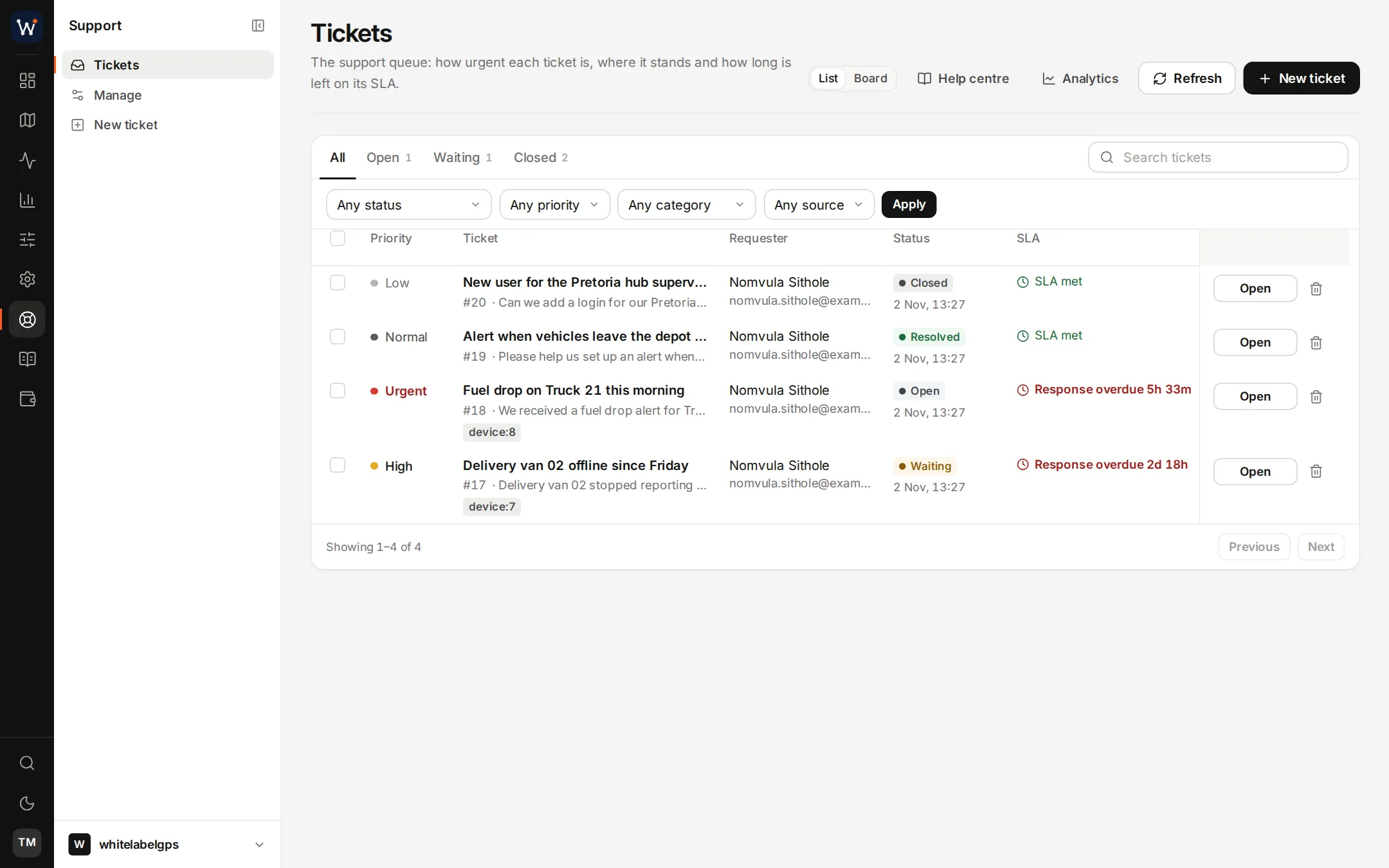
The support desk takes tickets from the portal and from WhatsApp. Tickets have types, priorities and SLA timers; agents answer with saved replies and point clients to a knowledge base, and the desk's analytics track response times and satisfaction.
Questions about the features
Are any of these features extra on the smaller plans?
No. Starter carries the same modules as the 2,000-device plan; the plans differ in device count alone.
Which channels can an alert rule use?
The portal itself, email, push notifications to a browser or phone, Telegram, WhatsApp and webhooks. A rule can use several at once, and a calendar can limit the hours when it applies.
Can a rule do something to the vehicle?
Yes. When it fires, a rule can issue a device command, for example an engine cut on a tracker wired to a relay. A cooldown stops the same command from going out again straight away.
Related technical pages
Put it on your own server and try it.
Order online and your server is normally live the next day, with your domain and logo in place and the tracker ports open.